Mobile
This article covers the process of starting a regular inspection without prior scheduling.
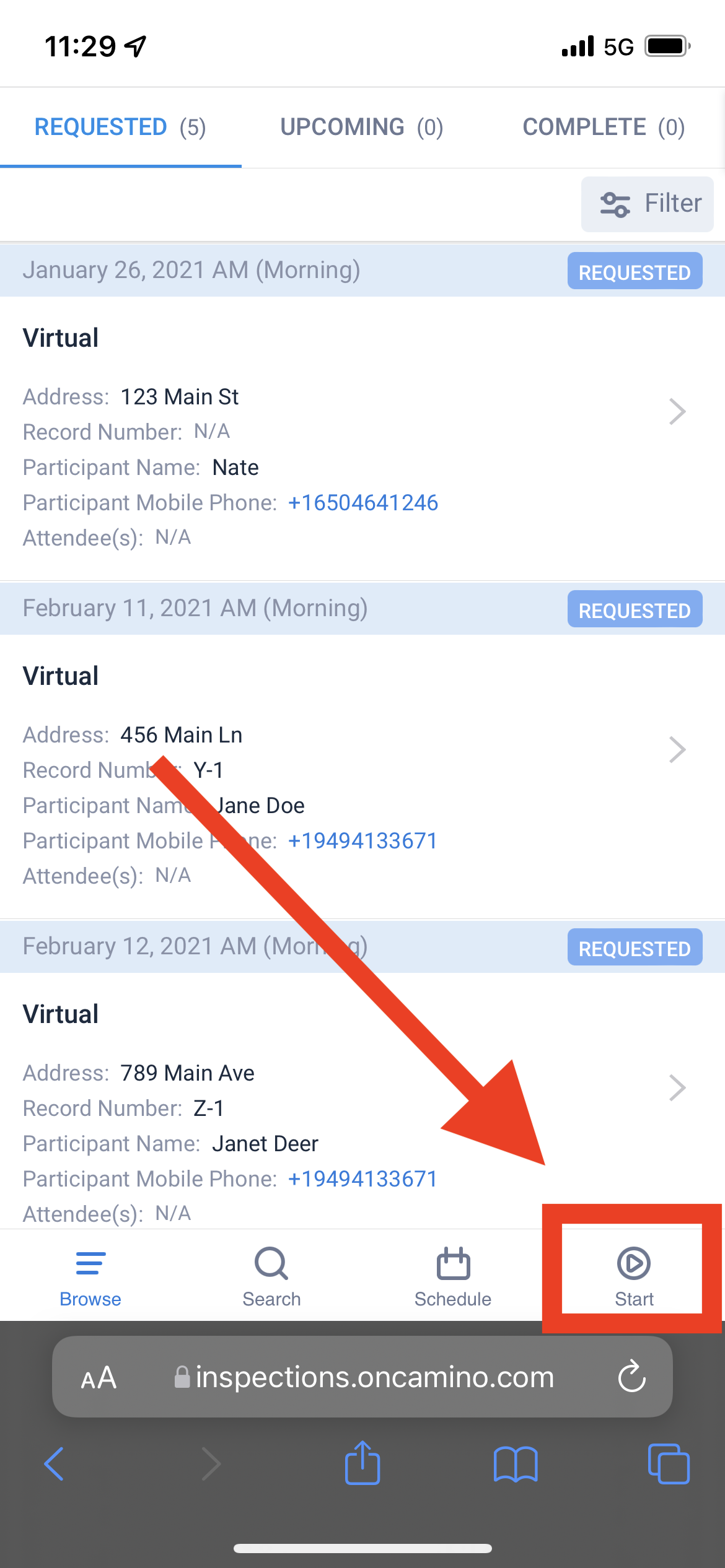
- Tap on the Start button in the bottom right corner of the screen
-
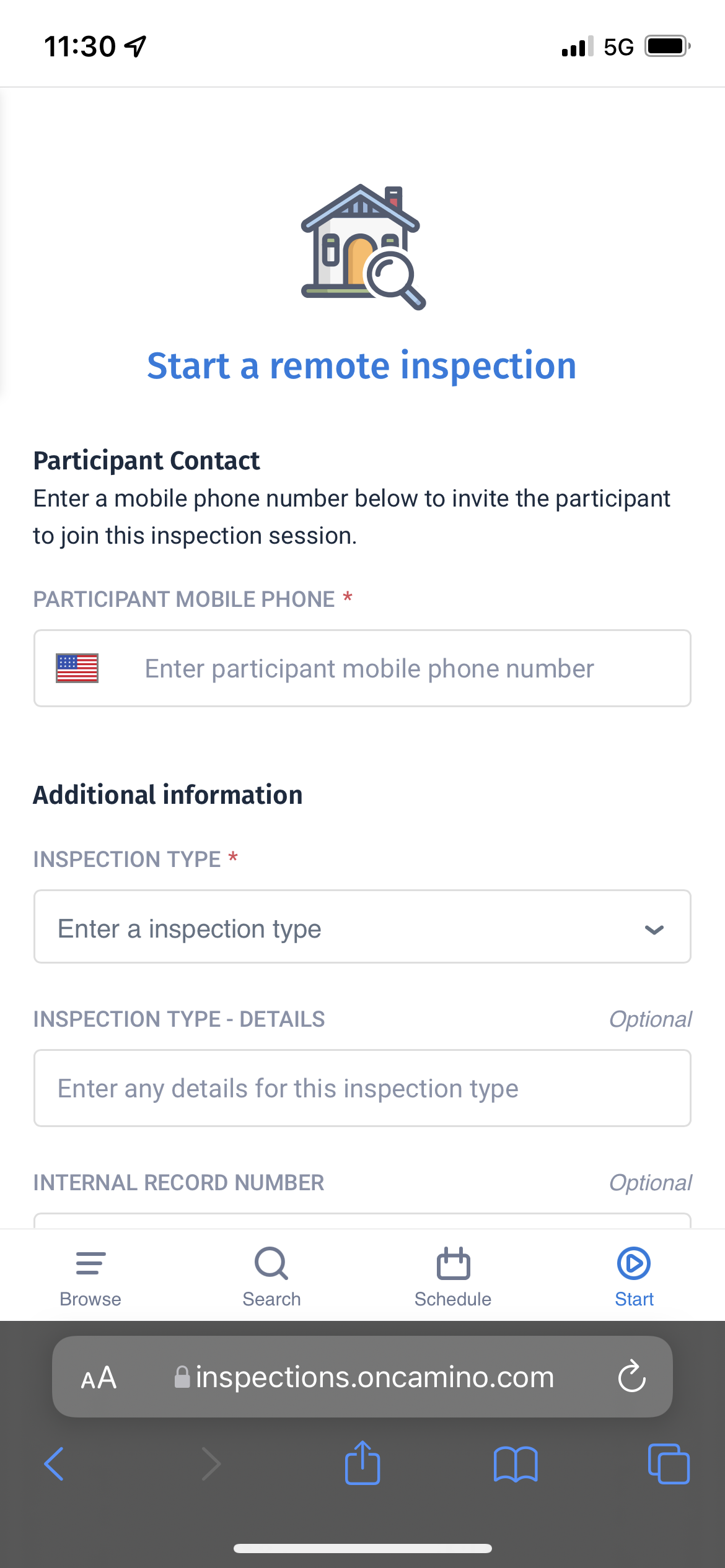
You will be taken to a new page to enter inspection details. You will need to at least enter the attendee’s mobile phone number to begin the inspection. This is a required field so that the attendee can be notified and sent an invitation to join the inspection session.
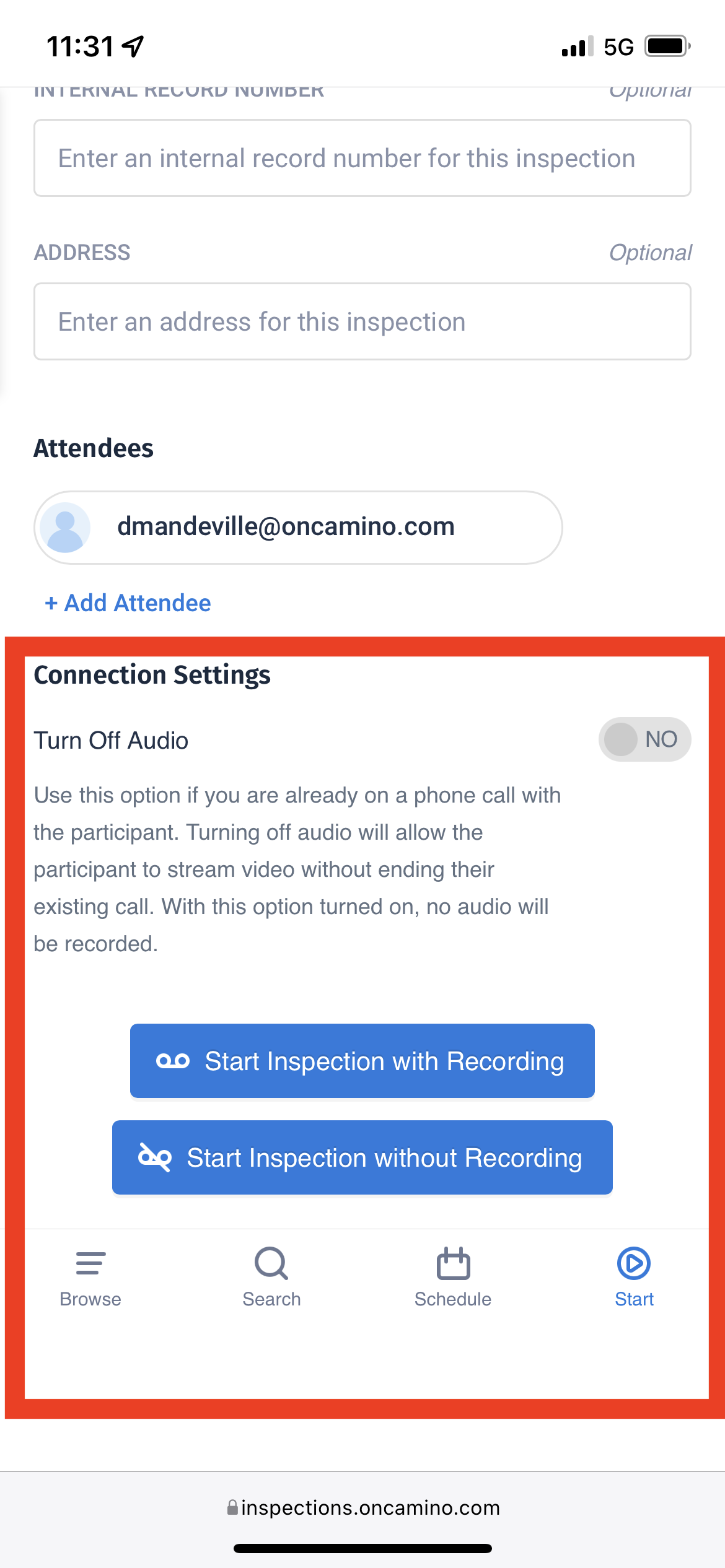
- Once you are done filling in inspection details, tap on one of the Start buttons at the bottom to begin the inspection.
Comments
0 comments
Please sign in to leave a comment.